Using TTS for Podcasts: Cost, Quality, and Setup Guide
A 30-minute podcast episode costs between $0.11 and $4.91 to narrate with AI - depending on which provider you pick. Here's how the maths works, which voices actually sound good over 30 minutes, and how to set up a production workflow.
Can TTS Actually Replace a Human Narrator?
The honest answer: for some podcast formats, yes. For others, not yet.
Solo narration shows - think daily news digests, tech roundups, or scripted explainers - are where TTS already works well. The content is written to be read aloud, the pacing is predictable, and listeners don't expect the warmth of a casual conversation. Shows like The Bulletin and several AI-narrated newsletters have proven the format can hold an audience.
Interview-style podcasts, comedy, and anything that depends on spontaneous delivery are a different story. TTS voices can read a script convincingly, but they can't riff. They don't stumble into genuine laughter or adjust their tone when a guest says something unexpected. If your show depends on human chemistry, keep the humans.
The interesting middle ground is production podcasts - scripted series where every word is written before recording. Documentary-style narration, educational deep-dives, and fiction anthologies are all viable candidates. The question stops being “is the voice good enough?” and becomes “is it good enough for this specific format?”
Cost Per Episode: The Real Numbers
A typical 30-minute podcast episode runs roughly 4,500 words. At an average of 6 characters per word (including spaces), that's about 27,000 characters of input text. Let's price that across three representative providers.
| Provider / Tier | Rate | Cost per Episode | Monthly (20 eps) |
|---|---|---|---|
| Google Cloud Standard | $0.004/1k chars | $0.11 | $2.16 |
| Google Cloud WaveNet | $0.016/1k chars | $0.43 | $8.64 |
| OpenAI tts-1 | $0.015/1k chars | $0.41 | $8.10 |
| OpenAI tts-1-hd | $0.030/1k chars | $0.81 | $16.20 |
| ElevenLabs Creator | $0.182/1k chars | $4.91 | $98.28 |
ElevenLabs quota note: The Creator plan includes 121,000 characters per month for $22. A single 27,000-character episode uses 22.3% of that quota. Produce five episodes and you've burned your entire monthly allowance. If you're publishing weekly, you'll need the Independent plan ($99/mo for 500k chars) or pay-as-you-go overages.
The spread is dramatic. At Google Standard rates, you could narrate an entire year of weekly episodes for under $6. At ElevenLabs Creator rates, that same year costs roughly $255 in character quota - plus the subscription fee itself.
Want to price your own episode? Paste your script into the calculator and see the exact cost across all providers instantly.
Quality for Long-Form Narration
Podcast narration is a different evaluation than chatbot responses or IVR prompts. Latency is irrelevant - you're generating audio files ahead of time, not streaming in real time. What matters is how the voice holds up over 20, 30, 45 minutes of continuous listening.
The failure modes for long-form TTS are specific: monotone drift (the voice settles into a flat rhythm after a few minutes), unnatural sentence transitions, and the occasional mispronunciation that a human narrator would self-correct without thinking. These compound over time. A voice that sounds impressive in a 15-second demo can become grating at minute twelve.
ElevenLabscurrently produces the most natural long-form narration. Their models handle paragraph-level context well, maintaining appropriate variation in pace and emphasis across long passages. The emotional range is narrow compared to a trained voice actor, but it doesn't fatigue the listener. For scripted educational content or documentary narration, it passes the bar.
OpenAI tts-1-hdsits in the middle. The voices (particularly “onyx” and “nova”) are pleasant and read cleanly, but they're more obviously synthetic over long stretches. Pacing tends to be uniform - each sentence gets roughly the same treatment regardless of content. Perfectly serviceable for news summaries or technical explainers where listeners care more about information than performance.
Google Cloud Standard and WaveNetvoices are functional but distinctly robotic over long durations. They're fine for utility narration - internal recordings, accessibility overlays, quick summaries - but asking listeners to spend 30 minutes with a Google Standard voice is a stretch. WaveNet is better, though still a clear step behind OpenAI and ElevenLabs for anything audience-facing.
Which Provider Should You Use?
It depends on what you're optimising for. Here's the shorthand:
ElevenLabs - Best Voice Quality
If your podcast is public-facing and voice quality is the top priority, ElevenLabs is the clear choice. Custom voice cloning lets you create a consistent “host” voice, and the narration quality holds up across long episodes. The trade-off is cost - you're paying roughly 12× more per character than OpenAI. Check their full pricing breakdown before committing.
OpenAI - Best Balance of Cost and Quality
OpenAI's tts-1-hd is the pragmatic middle ground. The voices are good enough for most listeners, the API is straightforward, and at $0.81 per episode you're not going to stress about production costs. A solid default for most new TTS podcasts. See OpenAI pricing details.
Google Cloud - Lowest Cost
If you need TTS narration at essentially zero marginal cost - internal podcasts, accessibility versions of written content, or draft narration for review - Google Standard at $0.11 per episode is hard to argue with. Quality is noticeably lower, but for non-public or utility use cases, it does the job. See Google Cloud pricing details.
Setting Up a TTS Podcast Workflow
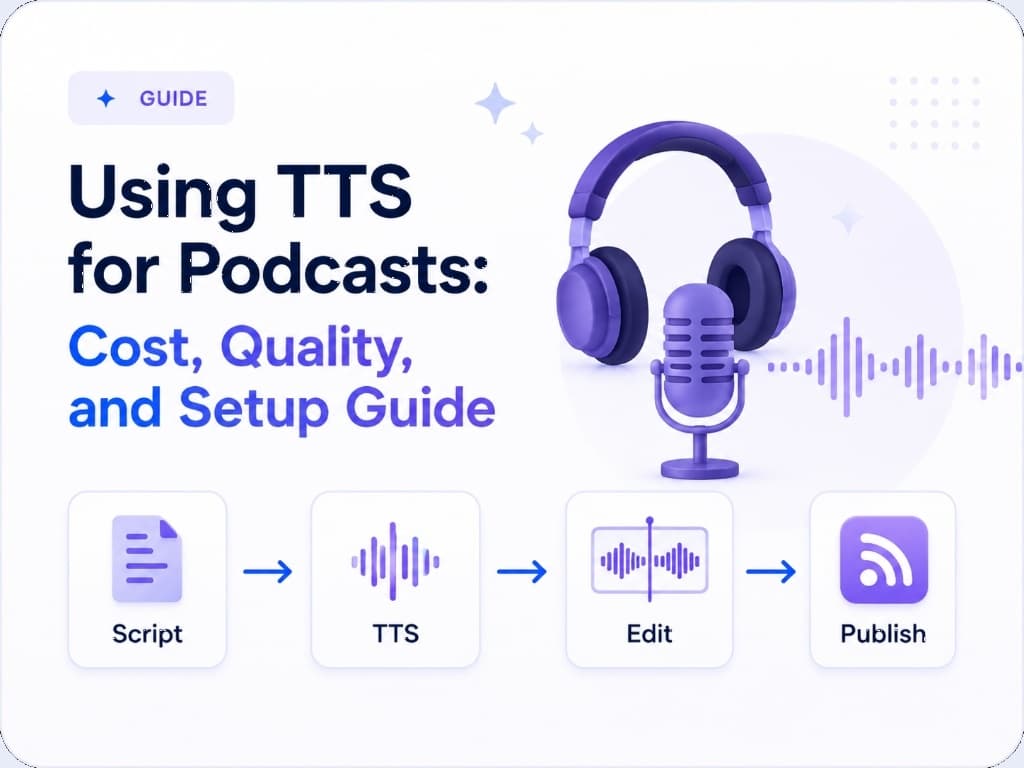
The production pipeline for a TTS-narrated podcast is simpler than traditional recording, but it's not just “paste text, get podcast.” Here's a workflow that actually produces listenable output.
1. Text Preparation
Write for the ear, not the eye. This is the single biggest factor in output quality. Short sentences. Active voice. No parenthetical asides that work on a page but sound bizarre when read aloud. Read your script out loud before sending it to the API - if it feels awkward in your mouth, it'll sound awkward from the model.
Spell out abbreviations the way you want them spoken. Write “United States” not “US” unless you want the model to say “us.” Write “versus” not “vs.” These small edits prevent re-generation and save characters (and money).
2. API Call & Generation
Most providers have a maximum request size. ElevenLabs caps at 5,000 characters per request, OpenAI at 4,096 characters. For a 27,000-character episode, you'll need to split your script into chunks and concatenate the audio files afterward. Split at natural paragraph breaks - never mid-sentence. Some providers support SSML for fine-grained control over pacing; more on that below.
3. Audio Post-Processing
Raw TTS output needs work before it's podcast-ready. Concatenate your chunks with crossfade transitions (50–100ms) to avoid audible cuts. Normalise loudness to -16 LUFS (the standard for podcasting). Apply light compression to even out volume. Tools like FFmpeg, Audacity, or Descript handle this in batch. Add intro/outro music and any segment transitions at this stage.
4. Review & Publish
Listen to the final output end-to-end. Every time. TTS models occasionally produce artefacts - a swallowed word, a strange inflection, an awkward pause. These are easy to fix by re-generating a single chunk and splicing it in, but you have to catch them first. Export as MP3 at 128kbps (mono is fine for speech-only podcasts) and upload to your hosting platform.
Production Tips That Actually Matter
Use SSML for Pacing Control
Google Cloud and Amazon Polly support SSML (Speech Synthesis Markup Language), which lets you insert explicit pauses, control speaking rate, and adjust emphasis. A well-placed <break time="500ms"/> between sections transforms flat narration into something that breathes. OpenAI and ElevenLabs don't support SSML but respond to punctuation cues - em dashes, ellipses, and paragraph breaks all influence pacing.
Split Scripts at Natural Boundaries
When splitting long scripts for API limits, always break at section or paragraph boundaries. The model uses surrounding context to inform intonation - cutting mid-paragraph means the next chunk starts cold, often with a noticeable shift in tone. Number your chunks and process them sequentially to avoid assembly mistakes.
Add Silence Between Sections
TTS models tend to rush through topic transitions. Insert 1–2 seconds of silence between major sections during post-processing. This gives the listener a moment to absorb what was said and signals a shift in topic. It's a small detail that makes a large difference in listenability over a 30-minute episode.
The Hybrid Approach
The most practical strategy for most podcast producers isn't all-TTS or all-human - it's both.
Use TTS for rapid iteration during the writing phase. Generate a narrated draft in minutes, listen back, and revise the script based on how it sounds rather than how it reads. This catches pacing problems, tonal mismatches, and structural issues far earlier than silent proofreading. At $0.41 per draft with OpenAI tts-1, the cost of audio feedback rounds is negligible.
For short-form content - daily news briefs, quick updates, bonus episodes - TTS is the final output. These formats have lower quality expectations and higher volume demands. Producing a 5-minute daily update with TTS costs pennies and takes minutes. Doing the same with a human narrator requires scheduling, recording, and editing - a completely different production overhead.
For flagship episodes - your weekly deep-dive, your interview series, your narrative storytelling - record with humans. The voice quality gap, while narrowing, still matters for content that defines your brand. Use TTS to prototype the script and structure, then hand off to a narrator for the final performance. You get the speed of AI drafting with the quality of human delivery.
Running the Numbers for Your Show
Every podcast is different - episode length, publishing frequency, budget constraints, and audience expectations all shift the calculus. The numbers in this article are based on a 30-minute, 4,500-word episode, but your mileage will vary.
The fastest way to get your own numbers is to paste an actual episode script into the TTSCost calculator. It'll show you the exact cost across every provider and tier in a single view - no spreadsheets required.
Ready to price your podcast narration?
Open the Calculator →Compare all providers side-by-side. Back to all articles