How to Reduce Your TTS API Costs by 90%
Most teams paying for text-to-speech are spending five to ten times more than they need to. Here are eight strategies - ranked by impact - that can cut your bill dramatically without touching audio quality.
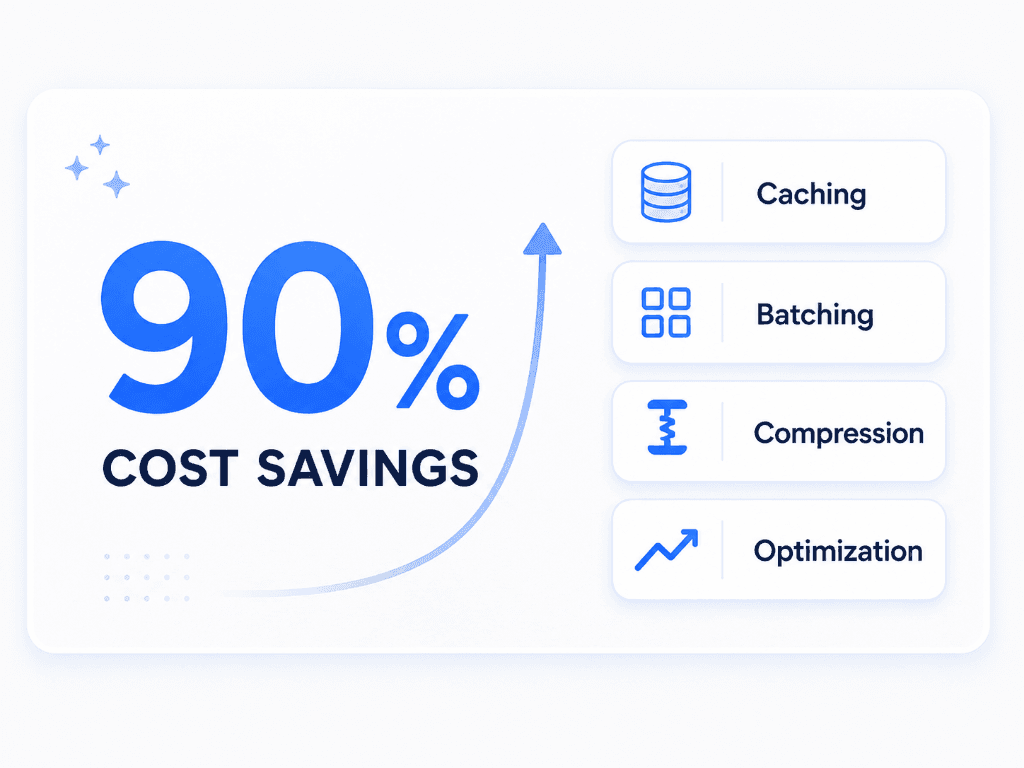
Text-to-speech APIs have a pricing problem. Not because they're expensive per se, but because the gap between the cheapest and most expensive provider is enormous - and most developers pick a provider based on voice demos, not pricing pages. The result? Teams routinely spend $200/month on something that could cost them $15.
We built the TTS Cost Calculator to make this kind of comparison easy. But the calculator only shows you prices - it doesn't tell you how to exploit the gaps. That's what this article is for.
Switch providers (the obvious one)
ElevenLabs charges $0.20 per 1,000 characters. OpenAI's tts-1 charges $0.015. That's a 92% cost reduction for a single config change. Google Cloud TTS is even cheaper at $0.004/1K chars on Standard voices.
| Provider | Cost / 1K chars | 1M chars / month |
|---|---|---|
| ElevenLabs | $0.20 | $200.00 |
| OpenAI tts-1 | $0.015 | $15.00 |
| Google Cloud (Standard) | $0.004 | $4.00 |
| Amazon Polly (Standard) | $0.004 | $4.00 |
Yes, ElevenLabs sounds better. But "better" only matters if your users actually notice. For internal tools, automated alerts, accessibility readers, and draft previews, nobody cares about studio-grade prosody. Use the calculator to see the exact difference for your character count.
Use the right tier within a provider
OpenAI offers two TTS models: tts-1 at $0.015/1K chars and tts-1-hd at $0.030/1K chars. The HD version is optimised for long-form narration and broadcast, but for most API use cases - notifications, chatbot replies, short content - the standard model is indistinguishable to end users.
Google and Amazon both have Standard vs Neural (or WaveNet) tiers with the same dynamic. Standard voices are 4× cheaper. Unless your users are listening through studio headphones, start with the budget tier and only upgrade when someone complains. Nobody ever does.
Cache your audio output
This is the single highest-ROI change you can make, and almost nobody does it. If you're generating audio for the same text more than once - welcome messages, menu prompts, onboarding steps, FAQ answers - you're burning money.
Example savings
An e-learning platform generating audio for 500 lesson scripts. Each script averages 3,000 characters. Without caching, every page view triggers a new API call - 50,000 views/month × $0.015/1K = $2,250/month. With a hash-based cache on S3 or R2 (cost: ~$0.50/month for storage), you generate each script once. Total TTS cost: $22.50. That's a 99% reduction.
Implementation is straightforward: hash the input text + voice + model, check your object store, serve the cached file if it exists, generate and store if it doesn't. Most teams can ship this in an afternoon.
Optimise your input characters
TTS APIs charge per character. Every unnecessary space, redundant comma, and verbose phrase is costing you money. This isn't about dumbing down your content - it's about not paying for whitespace.
- ✓Strip trailing whitespace and double spaces (regex: /\s+/ → single space)
- ✓Remove excessive punctuation - "Wait... really???" is 7 billable characters of nothing
- ✓Shorten URLs and email addresses that will be spoken aloud (they sound terrible anyway)
- ✓Remove HTML tags, markdown syntax, and formatting artefacts before sending to the API
- ✓Trim boilerplate like "Click here to learn more" from spoken content
On typical web content, these cleanups reduce character count by 10–25%. That translates directly to a 10–25% cost cut with zero impact on output quality.
Exploit free tiers strategically
Google Cloud gives you 4 million free characters per monthon Standard voices, and 1 million on WaveNet. Amazon Polly includes 5 million Standard characters per month for the first 12 months. These aren't trial limits - Google's is permanent.
Four million characters is roughly 800,000 words or about 60 hours of spoken audio. For startups, internal tools, and MVPs, that's likely all you need. You can build an entire product on Google's free tier and not pay a penny for TTS until you hit real scale. Check our free tier comparison for the full breakdown.
Batch requests for volume pricing
Some providers - Google Cloud and Azure in particular - offer tiered pricing that drops as volume increases. Google's WaveNet rate drops from $0.016 to $0.008 per 1K characters after the first million. Azure offers enterprise commitment discounts for high-volume customers. If you're making thousands of small requests, consolidating them into fewer, larger batches can push you into a lower pricing bracket. Even where there's no formal volume discount, batching reduces overhead and the number of API calls, which keeps you well under rate limits and avoids throttle-related retries.
Mix providers by use case
There's no rule that says you have to use one provider for everything. The smartest teams we've seen run a two-tier setup:
Bulk / Internal
Google Cloud Standard or Amazon Polly Standard for accessibility readers, automated reports, internal dashboards, and draft previews. Cost: ~$0.004/1K chars.
Customer-Facing
OpenAI tts-1 or ElevenLabs for product narration, marketing videos, and customer-facing audio where voice quality directly affects perception. Cost: $0.015–$0.20/1K chars.
A SaaS product generating 2M characters/month might spend $400 using ElevenLabs for everything. Split it 80/20 - 1.6M on Google Standard, 400K on ElevenLabs - and the bill drops to $86.40. That's a 78% saving without any customer noticing a quality change.
Calculate your actual character needs
This is less a strategy and more a prerequisite for all the others. Most teams have no idea how many characters they're actually consuming. They pick a plan that sounds right, overshoot massively, and never revisit the decision.
Here's a reality check: the average blog post is about 1,500 words, or roughly 8,000 characters. A 10-minute podcast script runs about 1,500 words too. A push notification is 50–100 characters. An automated phone menu prompt might be 200.
Most people overestimate their usage by 3–5×. Before committing to any provider or plan, paste your actual content into the TTSCost calculator and see what it really costs. You might find that Google's free tier covers everything, and you don't need to pay at all.
Putting it all together
None of these strategies require a PhD or a month of engineering work. Most teams can implement two or three of them in a single sprint and see immediate savings. The highest-leverage moves, roughly ordered:
- 1.Switch from an expensive provider to a cheaper one - instant 80–90% saving
- 2.Cache audio output - eliminates repeat generation entirely
- 3.Clean your input text - free 10–25% reduction
- 4.Use free tiers for non-critical workloads - potentially $0/month
- 5.Mix providers so you only pay premium where it matters
The dirty secret of TTS pricing is that the expensive providers have conditioned the market to assume text-to-speech is costly. It doesn't have to be. With the right combination of provider, tier, caching, and input hygiene, you can serve production-quality audio at a fraction of what most companies pay.
See the exact cost for your project
Paste your text, pick your providers, and get an instant cost comparison. Free, no signup required.
Open the Calculator →